


CamCard AI Scanner, Transcribe
4.18.81K Reviews
App Specs
- Version
- 7.89.5.20260807
- Updated On
- License
- Free
- Downloads
- 10,000,000+
- Developer
- INTSIG
- Categories
- Productivity
- Platform
- Android
Screenshots
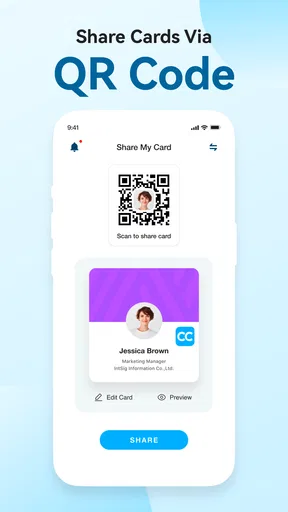
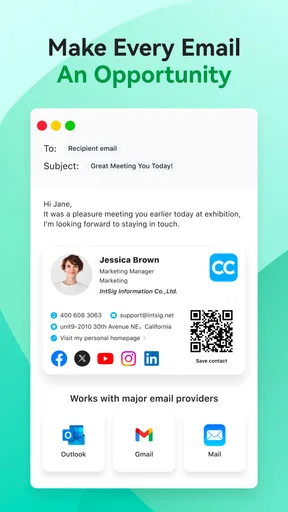
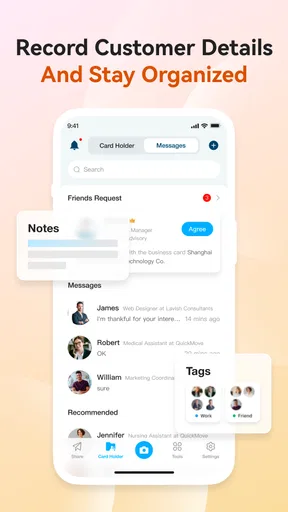
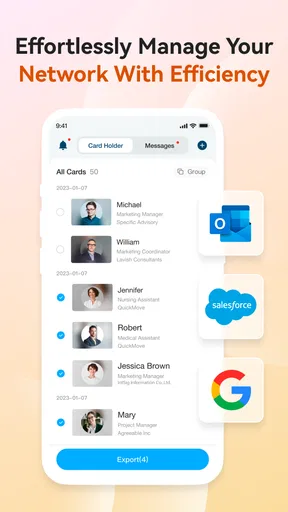
 Analysis by AppCompare
I think the best way to judge a business-card app is to ask what happens after the scan. A quick picture is useful, but only if the result is accurate enough to find later and easy to turn into a sensible follow-up. That is the problem CamCard AI Scanner, Transcribe is built to solve: it turns paper introductions into searchable contact records instead of leaving them in a jacket pocket or an unread pile on a desk.
That focus makes it most appealing to people who meet new clients, suppliers, or collaborators in person and still receive printed cards. If most of your contacts arrive through online forms or messages, a dedicated scanner may not earn a regular place in your routine. I would decide based on how often physical cards interrupt your workflow, not on the promise of having another productivity tool.
Choose it for the job you actually do
Before relying on any scanner, I would test it with the cards I encounter most often: a clean, high-contrast card, one with a compact layout, and one that uses a language or writing system I regularly see. Text recognition can save typing, but it is not a substitute for checking the result. Names, email addresses, and phone numbers are exactly the fields where one misread character can make a contact difficult to reach.
That is why I treat scanning as a two-step task: capture the card, then review the fields before moving on. This small habit is especially worthwhile when a card has a logo near the text, an unusual typeface, or several phone numbers. A brief correction at the start is less frustrating than discovering a mistake when I am ready to send a follow-up.
A practical routine after an event
Imagine coming back from a trade event with cards from a handful of useful conversations. Rather than trying to enter them all at once days later, I would scan each card while the meeting is still fresh, check the spelling, and add a short note about what we discussed. A note such as “send the sample brief” is more useful than relying on a name alone to bring the conversation back to mind.
I would also separate people by the next action rather than creating elaborate labels immediately. A simple distinction between “follow up soon” and “keep in touch” can make a later review manageable. The point is not to build a miniature sales department inside a phone; it is to preserve the context that helps a real conversation continue.
Where a card scanner has an edge
Compared with typing details into a phone’s contact form, scanning can reduce repetitive entry, especially when a card contains several fields. Compared with keeping cards in a wallet or taking photos and leaving them in a camera roll, a dedicated contact workflow is easier to revisit when you need a particular person. Those alternatives remain perfectly reasonable for someone who collects only a few cards a year, but they can become messy when the stack grows.
Worth Reading Before You Choose

EA SPORTS FC Mobile 26 Is a Bigger Football Game, but It Takes Time

Flipboard Shows What News Apps Must Do Beyond the Feed

Switching to Android Auto Means Rethinking Your Driving Routine

Google Calendar Makes a Crowded Week Easier to Manage

Ludo King Makes the Most of the Minutes Between Plans

Baby Panda World Brings Quick Play to Modern Phones, but Its Game Library Feels Busy
It is also different from a full customer-management system. A card scanner is a lighter starting point for capturing people and keeping basic context; a larger CRM is a better fit when a team needs shared pipelines, detailed activity tracking, or formal reporting. I would not choose this app expecting it to replace every sales process. Its usefulness is clearest when the task is turning an in-person introduction into an organized contact you can act on.
Where careful review matters most
Multilingual recognition is valuable when contacts come from different markets, but I would still pay close attention to names and address formats. Language support can help interpret printed text; it does not remove the need to confirm that a person’s name, company, or contact details were captured as intended. When a card uses a layout I do not recognize, I would keep the physical card until I have verified the saved record.
Likewise, scanning is not necessarily the fastest option for every introduction. If someone sends their details digitally, entering or saving that information directly may be cleaner than photographing a screen or trying to treat it like a printed card. The strongest workflow is the one that avoids needless conversion, not the one that forces every contact through the same route.
What to check before making it your archive
Business contacts can be sensitive, so I would make a deliberate choice about where records are stored and backed up rather than treating contact capture as a harmless camera task. I would review the app’s current privacy and backup settings myself before adding a large archive, especially if the cards include personal numbers or details from private conversations. I would not assume that any app’s broad security claims answer every question about how a particular account is handled.
I would also test the path from a newly scanned card to the contact list I already use. If a record appears in two places, decide which one is the main version and how you will avoid duplicates. A short trial with a few cards can reveal whether the handoff fits your habits before you invest time in scanning a backlog.
What’s the Scoop?
So, what exactly is CamCard AI Scanner, Transcribe? It’s an app designed to digitize all those business cards cluttering your desk. With just a snap of your phone camera, it transcribes the details into your device, making it easier to manage and access.
Easy Peasy Scanning
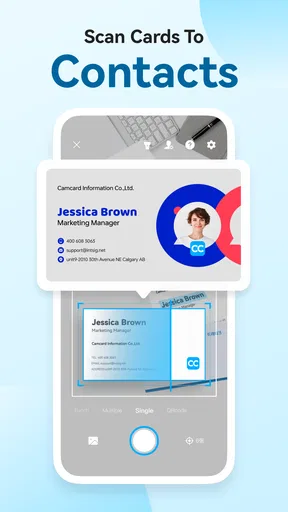
Let’s talk about the scanning feature. It’s super intuitive. You simply point your camera at a business card, and the app does its magic. The AI technology accurately recognizes text and inputs it into the correct fields. It’s like having a personal assistant in your pocket. No more manual entry, which is a huge time-saver.
Transcription and Organization
Once scanned, the app transcribes all the information — names, phone numbers, emails. It organizes them neatly in your digital Rolodex. What I love is how it syncs with your existing contact list. You can tag contacts, add notes, and even set reminders for follow-ups. It’s like having a CRM system but without the corporate price tag.
Multilingual Support
Another fantastic feature is its multilingual support. Whether the business card is in English, Spanish, or Chinese, this app has you covered. It’s perfect for international networking and ensures you’re never lost in translation.
Security and Privacy
Now, I know what you’re thinking — all this data is going into an app. Is it safe? Absolutely. The app prioritizes security with encrypted data storage, so your contacts are protected. Plus, you can choose where to back up your data, whether it’s on the cloud or locally on your device.
Integrations Galore
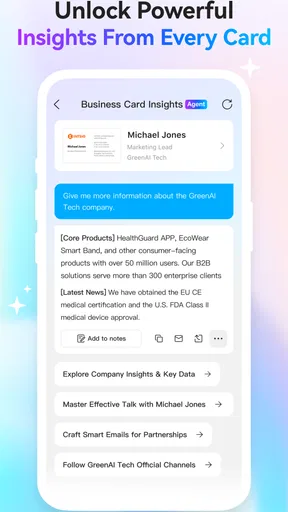
Integration is another strong suit of this app. It works seamlessly with email clients, messaging apps, and even some CRM platforms. This connectivity ensures all your communication channels are linked, making it easier to stay in touch with your contacts.
Design and Usability
Let’s not forget about the design. The interface is clean and user-friendly, which is a big win in my book. Everything is laid out clearly, making navigation a breeze. Even if you’re not tech-savvy, you’ll find it easy to use.
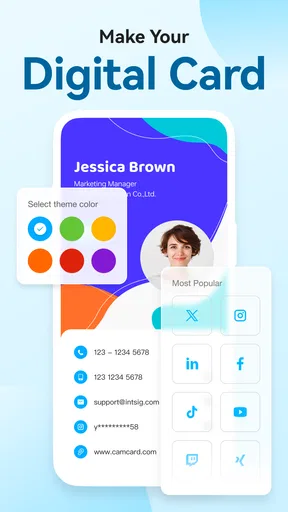
Plus, there are customization options. You can tweak settings to suit how you like to manage your contacts. It’s all about making the app work for you.
Fit, price, and commitment
CamCard AI is a free productivity app from INTSIG, with optional in-app purchases ranging from $0.99 to $189.99 per item. I would start with the free experience and decide whether the app fits my routine before paying for anything. The wide range means it is worth checking the exact purchase and its terms in the app rather than assuming every useful feature is included at no cost.
It is rated for Everyone and has been available since March 2, 2010. Its current version is 7.88.5.20260206, and it requires Android 10 or later. The app has a 4.1 average from around 152,000 ratings, alongside roughly 8,800 written reviews, and has passed 10 million installs. Those figures suggest a well-established tool, but they cannot tell you whether its capture and organization style suits your own contact habits.
Who should keep looking
I would skip a dedicated scanner if I rarely receive paper cards, prefer not to store professional contacts in another service, or need a team-wide CRM as the central record of customer activity. Someone who only wants a backup image may find a camera folder simpler, while a person who needs structured shared sales work should compare purpose-built CRM options. The trade-off is straightforward: this app is most compelling when physical cards are a recurring source of contact information.
Final Thoughts
So, is it worth it? If you’re someone who deals with a lot of business cards, then absolutely. It’s a handy tool that streamlines the process of managing contacts, saving you time and effort.
The app’s ability to scan, transcribe, and organize information is top-notch. And with its added features like multilingual support and integrations, it’s a comprehensive solution for anyone looking to up their networking game.
Ready to give it a go? You can find the app available for download on both Android and iOS platforms. Trust me, once you start using it, you’ll wonder how you ever managed without it.
My recommendation is more measured: try it with a small batch of cards, verify the recognized details, and see whether notes, tags, and follow-up reminders become part of your routine. If they do, it can turn networking leftovers into useful next steps. If you find yourself scanning only occasionally or correcting too much, a basic contact list or a simpler way of saving details may suit you better.
Pros
- Accurate text recognition in multiple languages.
- Smooth integration with cloud services.
- User-friendly interface and navigation.
- High-speed scanning with clear image quality.
- Supports batch scanning for efficiency.
Cons
- Limited free version features.
- Occasional OCR errors with complex layouts.
- Requires internet for some functions.
- Subscription can be pricey for casual users.
- No offline editing for scanned documents.
FAQs for CamCard AI Scanner, Transcribe
What is CamCard AI Scanner, Transcribe and how does it work?
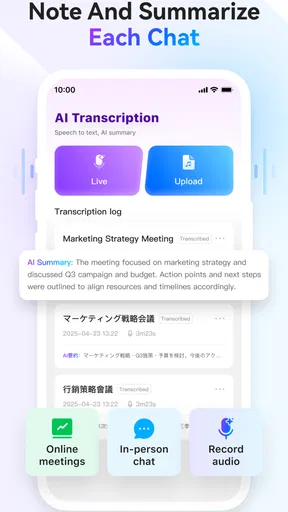
CamCard AI Scanner, Transcribe is an app designed to digitize business cards and transcribe audio notes efficiently. By using advanced AI technology, it captures and organizes contact information from business cards and converts spoken words into text, making it easy to manage and search for details later.
Is CamCard AI Scanner, Transcribe available for both Android and iOS?
Yes, CamCard AI Scanner, Transcribe is available for download on both Android and iOS platforms. Users can access the app through the Google Play Store for Android devices and the Apple App Store for iOS devices, ensuring broad compatibility across different smartphones and tablets.
Can CamCard AI Scanner, Transcribe handle multiple languages?
Absolutely, CamCard AI Scanner, Transcribe supports multiple languages for both scanning business cards and transcribing audio. This feature is particularly useful for users who deal with international contacts or need to transcribe notes in different languages, enhancing its global usability.
Are there any privacy concerns with using CamCard AI Scanner, Transcribe?
CamCard AI Scanner, Transcribe takes privacy seriously by using secure servers to handle data. Users have control over their data, with options to store information locally or in the cloud. It's advisable to review the app's privacy policy to understand how your data is handled and protected.
What are the pricing options for CamCard AI Scanner, Transcribe?
CamCard AI Scanner, Transcribe offers a free version with basic features suitable for light users. For more advanced functionality and unlimited access, there are subscription options available. These plans typically include premium features like cloud storage and enhanced text recognition capabilities.


